
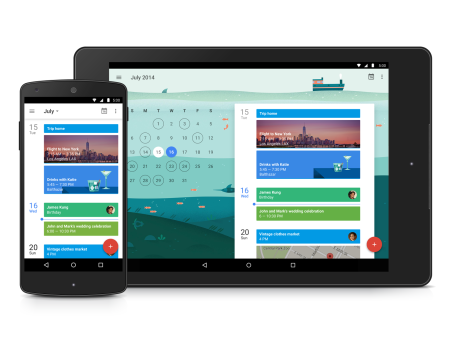
Auto cross-posted from my WordPress Blog: Today, we revisited the area of ‘Core Apps’ and discussed the features & benefits of the ‘Calendar’ and ‘Contacts’ App. Steve PalmerI got into blogging quite late in life, not publishing my first post until 2004 – well into my 40s! My lifelong love of technology and communication (in …
Read More
Category:Salvation Army
Laptop Coaching: eMail (Part 2)

Auto cross-posted from my WordPress Blog: Today, we continued to discuss eMail using the ‘Mail’ App – Core functions today… more advanced functions next week! Steve PalmerI got into blogging quite late in life, not publishing my first post until 2004 – well into my 40s! My lifelong love of technology and communication (in all …
Read More
Tablet Coaching: The Play Store (Introduction)

Auto cross-posted from my WordPress Blog: Today, we spent time outlining the layout and content of Google ‘Play Store’. Steve PalmerI got into blogging quite late in life, not publishing my first post until 2004 – well into my 40s! My lifelong love of technology and communication (in all its forms), together with a fondness …
Read More
Laptop Coaching: Certification Day!

Auto cross-posted from my WordPress Blog: Today was the final lesson for this group. After 31 lessons we said goodbye to Lin, Tom, Tim, Helen and Neil and presented them with their completion certificates. We also spent time discussing what’s coming up with the next for Windows 10 – The ‘Fall Creator’s Update’, due in …
Read More
Tablet Coaching: Getting Around & Core Apps

Auto cross-posted from my WordPress Blog: Today, we confirmed the Lesson Plans and looked at a typical layout of a Tablet screen, as well as an introduction to Android’s ‘Core Apps’. Steve PalmerI got into blogging quite late in life, not publishing my first post until 2004 – well into my 40s! My lifelong love …
Read More
Laptop Coaching: Recap – Google Maps/Data on DVDs

Auto cross-posted from my WordPress Blog: In this penultimate lesson (for this Class), we re-looked at Google Maps and discussed how to manage data to/from a portable DVD drive. Steve PalmerI got into blogging quite late in life, not publishing my first post until 2004 – well into my 40s! My lifelong love of technology …
Read More
Laptop Coaching: Word Processing (Part 2)
Auto cross-posted from my WordPress Blog: Today, we continued our Lesson, looking at the main capabilities of most word processors Steve PalmerI got into blogging quite late in life, not publishing my first post until 2004 – well into my 40s! My lifelong love of technology and communication (in all its forms), together with …
Read More
Laptop Coaching: Windows 10 Core Apps

Auto cross-posted from my WordPress Blog: Today we began to look at the Core Apps installed on ALL new Windows 10 Laptops. We began with the ‘Calendar’ app and then the ‘People’ app. Steve PalmerI got into blogging quite late in life, not publishing my first post until 2004 – well into my 40s! My …
Read More
Laptop Coaching: Word Processing (Part 1)
Auto cross-posted from my WordPress Blog: Today, we began to look at the core abilities of modern word-processors. Steve PalmerI got into blogging quite late in life, not publishing my first post until 2004 – well into my 40s! My lifelong love of technology and communication (in all its forms), together with a fondness for …
Read More
Laptop Coaching: Windows 10 and the App Store

Auto cross-posted from my WordPress Blog: Today, in our third lesson covering Windows 10, we looked at the App Store. Steve PalmerI got into blogging quite late in life, not publishing my first post until 2004 – well into my 40s! My lifelong love of technology and communication (in all its forms), together with a …
Read More
Tablet Coaching: Needs Analysis
Auto cross-posted from my WordPress Blog: The new Class started today, and we spent the morning agreeing the subject areas to be covered over the next 20+ weeks. Steve PalmerI got into blogging quite late in life, not publishing my first post until 2004 – well into my 40s! My lifelong love of technology and …
Read More
Laptop Coaching: Recap – Passwords

Auto cross-posted from my WordPress Blog: Today, we recapped best practices when creating strong and secure passwords. Steve PalmerI got into blogging quite late in life, not publishing my first post until 2004 – well into my 40s! My lifelong love of technology and communication (in all its forms), together with a fondness for the …
Read More
Laptop Coaching: Windows 10 (Part 2)
Auto cross-posted from my WordPress Blog: Today, we continued to explore the features and benefits of ‘Windows 10’. Steve PalmerI got into blogging quite late in life, not publishing my first post until 2004 – well into my 40s! My lifelong love of technology and communication (in all its forms), together with a fondness …
Read More
Laptop Coaching: Recap – ‘Photos’ App

Auto cross-posted from my WordPress Blog: Continuing our recap lessons, today, we re-looked at the Windows 10 ‘Photos’ app. Steve PalmerI got into blogging quite late in life, not publishing my first post until 2004 – well into my 40s! My lifelong love of technology and communication (in all its forms), together with a fondness …
Read More
Laptop Coaching: What is Windows 10 (Pt 1)
Auto cross-posted from my WordPress Blog: Today, we ran an introductory session about the features and benefits of ‘Windows 10’. Steve PalmerI got into blogging quite late in life, not publishing my first post until 2004 – well into my 40s! My lifelong love of technology and communication (in all its forms), together with a …
Read More
Laptop Coaching: Recap – Google Maps
Auto cross-posted from my WordPress Blog: With only about 6 lessons left for this Class, we’re going to use the remaining time we have left to recap a range of topics. Today, it’s a return to using the many features of Google Maps. Steve PalmerI got into blogging quite late in life, not publishing my …
Read More
Laptop Coaching: File Management and Memory Sticks

Auto cross-posted from my WordPress Blog: Today we looked at how to organise files and folders using File Explorer. We also covered how to manage files held on a ‘memory stick’. Steve PalmerI got into blogging quite late in life, not publishing my first post until 2004 – well into my 40s! My lifelong love …
Read More
Laptop Coaching: Keyboard (Physical and Virtual)

Auto cross-posted from my WordPress Blog: Today we discussed the layout of a typical keyboard and the subtle differences between different laptop manufacturers. We also looked at the benefits of using the virtual keyboard built-in to Windows 10. Steve PalmerI got into blogging quite late in life, not publishing my first post until 2004 – …
Read More
Tablet Coaching: Certification Day

Auto cross-posted from my WordPress Blog: Congratulations to Robert, Keith, Patsy, Paul and Anita, who completed their final Tablet lesson today and received their Certificates. We celebrated with a few nibbles and discussed a new(ish) feature of Google Maps: ‘Offline use’. All the best! It’s been a pleasure to help you discover more about your …
Read More
Laptop Coaching: Essential Browser Tips

Auto cross-posted from my WordPress Blog: Today, we looked at the common features of the most popular browsers for Windows 10 – and how to use them. Filed under: Delivery, Salvation Army, Skills Development, Volunteer Steve PalmerI got into blogging quite late in life, not publishing my first post until 2004 – well into my …
Read More
Laptop Coaching: Inside your Laptop

Auto cross-posted from my WordPress Blog: Today, we gave the group a broad understanding of what’s inside their laptop. We then discussed various keyboard layouts and the functions of the most-used keys. Filed under: Delivery, Salvation Army, Skills Development, Volunteer Steve PalmerI got into blogging quite late in life, not publishing my first post until …
Read More
Laptop Coaching: Google Search

Auto cross-posted from my WordPress Blog: In today’s lesson, we covered the many features of ‘Google Search’. Filed under: Delivery, Salvation Army, Skills Development, Volunteer Steve PalmerI got into blogging quite late in life, not publishing my first post until 2004 – well into my 40s! My lifelong love of technology and communication (in all …
Read More
Laptop Coaching: Laptop Overview

Auto cross-posted from my WordPress Blog: Today, we continued our ‘tour of a laptop’. We also began to identify individual needs that will form the basis of the Lesson Plans for this group. Filed under: Delivery, Salvation Army, Skills Development, Volunteer Steve PalmerI got into blogging quite late in life, not publishing my first post …
Read More
Tablet Coaching: Recapping continues

Auto cross-posted from my WordPress Blog: With just a few lessons left for this Class, we continued recapping some of the more popular Apps found on a Tablet – today, we re-looked at ‘Calendar’. Filed under: Delivery, Salvation Army, Skills Development, Volunteer Steve PalmerI got into blogging quite late in life, not publishing my first …
Read More
Laptop Coaching: Skype Practical

Auto cross-posted from my WordPress Blog: With the theory and background to Skype covered last week, today we got down the practical day-to-day use and practised ‘skyping’ each other. Filed under: Delivery, Salvation Army, Skills Development, Volunteer Steve PalmerI got into blogging quite late in life, not publishing my first post until 2004 – well …
Read More
Tablet Coaching: Recap
Auto cross-posted from my WordPress Blog: As we are now nearing the end of the syllabus for this Group, today we started recapping on their chosen topics. Today’s recap covered how to attach items to eMails. Filed under: Delivery, Salvation Army, Skills Development, Volunteer Steve PalmerI got into blogging quite late in life, not publishing …
Read More
Laptop Coaching: Using Skype
Auto cross-posted from my WordPress Blog: Today, we looked at how to use Skype on your Laptop. Filed under: Delivery, Salvation Army, Skills Development, Volunteer Steve PalmerI got into blogging quite late in life, not publishing my first post until 2004 – well into my 40s! My lifelong love of technology and communication (in all …
Read More
Laptop Coaching: New Monday Class

Auto cross-posted from my WordPress Blog: The new Monday Class started today! Say hello to Norman, Brenda, Walter, Pam and Hazel! Today we’ll be assessing everyone’s needs to create their future lesson plans. Filed under: Delivery, Salvation Army, Skills Development, Volunteer Steve PalmerI got into blogging quite late in life, not publishing my first post …
Read More
Tablet Coaching: Play Movies and TV

Auto cross-posted from my WordPress Blog: Completing our series of lessons covering Google’s ‘Play Store’ App, today, we looked at ‘Movies and TV’. We then began a series of ‘learner-led’ sessions recapping on previously-discussed areas, but where Learners still had questions. Filed under: Delivery, Salvation Army, Skills Development, Volunteer Steve PalmerI got into blogging quite …
Read More
Laptop Coaching: Google Maps

Auto cross-posted from my WordPress Blog: Today, we looked at the many features of Google Maps and how to use it for route-planning – not only by car! Filed under: Delivery, Salvation Army, Skills Development, Volunteer Steve PalmerI got into blogging quite late in life, not publishing my first post until 2004 – well into …
Read More