
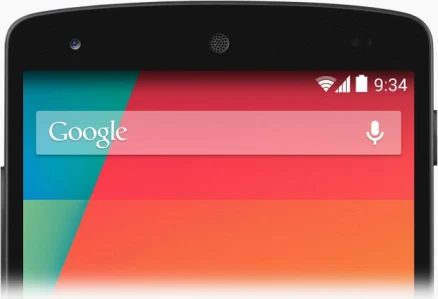
Auto cross-posted from my WordPress Blog: Today, we looked at the features and benefits of using the Google Search Bar on an Android Phone/Tablet. Steve PalmerI got into blogging quite late in life, not publishing my first post until 2004 – well into my 40s! My lifelong love of technology and communication (in all its …
Read More
Category:Delivery
Laptop Coaching: Windows Update

Auto cross-posted from my WordPress Blog: Today, we discussed the features of the still-rolling-out ‘Fall Creators Update’ to Windows 10. Steve PalmerI got into blogging quite late in life, not publishing my first post until 2004 – well into my 40s! My lifelong love of technology and communication (in all its forms), together with a …
Read More
Laptop Coaching: The Perfect Password

Auto cross-posted from my WordPress Blog: Today, a repeat performance of our very popular session covering the creation of virtually uncrackable (but easy remembered) passwords! Steve PalmerI got into blogging quite late in life, not publishing my first post until 2004 – well into my 40s! My lifelong love of technology and communication (in all …
Read More
Tablet Coaching: Tweaking your Photos (Part 2)

Auto cross-posted from my WordPress Blog: Today, we returned to the Google Photos App and looked deeper into how to adjust & improve the look of existing photographs. Steve PalmerI got into blogging quite late in life, not publishing my first post until 2004 – well into my 40s! My lifelong love of technology and …
Read More
Laptop Coaching: The Perfect Password
Auto cross-posted from my WordPress Blog: Today, the ‘Holy Grail’: Creating long, virtually uncrackable, secure passwords! Steve PalmerI got into blogging quite late in life, not publishing my first post until 2004 – well into my 40s! My lifelong love of technology and communication (in all its forms), together with a fondness for the art …
Read More
Laptop Coaching: Word Processing (Part 3)

Auto cross-posted from my WordPress Blog: In the final part of our series of lessons covering the use of Windows 10’s free word-processor, we get totally ‘hands-on’ with a two-hour practical exercise. Steve PalmerI got into blogging quite late in life, not publishing my first post until 2004 – well into my 40s! My lifelong …
Read More
Tablet Coaching: Skype

Auto cross-posted from my WordPress Blog: Today, we discussed how to use Skype on a Tablet . Steve PalmerI got into blogging quite late in life, not publishing my first post until 2004 – well into my 40s! My lifelong love of technology and communication (in all its forms), together with a fondness for the …
Read More
Laptop Coaching: More about the Desktop
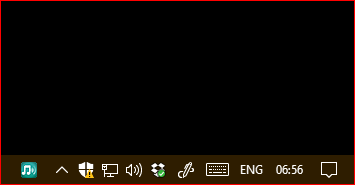
Auto cross-posted from my WordPress Blog: Today, we continued our discussion about the desktop layout of a modern Windows 10 PC. Specifically, we looked at the contents and functionality of the ‘System Tray’ area. Steve PalmerI got into blogging quite late in life, not publishing my first post until 2004 – well into my 40s! …
Read More
Laptop Coaching: Word Processing (Part 2)
Auto cross-posted from my WordPress Blog: Today, we continued our Lesson, exploring the features of Windows 10’s free word-processor – Windows Write. Steve PalmerI got into blogging quite late in life, not publishing my first post until 2004 – well into my 40s! My lifelong love of technology and communication (in all its forms), together …
Read More
Tablet Coaching: Google Maps

Auto cross-posted from my WordPress Blog: Today, we showed the Class how to use Google Maps, including planning journeys using public transport. Steve PalmerI got into blogging quite late in life, not publishing my first post until 2004 – well into my 40s! My lifelong love of technology and communication (in all its forms), together …
Read More
Laptop Coaching: Getting around Windows 10

Auto cross-posted from my WordPress Blog: Today, we explained how to navigate around the desktop of a Windows 10 Device and also how to access and run their installed Apps. We also showed the Class to how to customise the look of their Device’s Desktop. Steve PalmerI got into blogging quite late in life, not …
Read More
Laptop Coaching: Word Processing (Part 1)

Auto cross-posted from my WordPress Blog: Today, we ran an introduction to Word Processing and explained the main differences between ‘Word’ and other FREE alternatives. Steve PalmerI got into blogging quite late in life, not publishing my first post until 2004 – well into my 40s! My lifelong love of technology and communication (in all …
Read More
Tablet Coaching: eMail (Part 2)

Auto cross-posted from my WordPress Blog: Today, we concluded our Lesson on getting the best from eMail using your Tablet. Steve PalmerI got into blogging quite late in life, not publishing my first post until 2004 – well into my 40s! My lifelong love of technology and communication (in all its forms), together with a …
Read More
Laptop Coaching: Lesson Plans

Auto cross-posted from my WordPress Blog: Today, after last week’s introductory ‘getting to know you’ Lesson, we presented the Class with their proposed Lesson Plans for the next 35 Tuesdays. Steve PalmerI got into blogging quite late in life, not publishing my first post until 2004 – well into my 40s! My lifelong love of …
Read More
Laptop Coaching: Managing your Photos (Part 2)
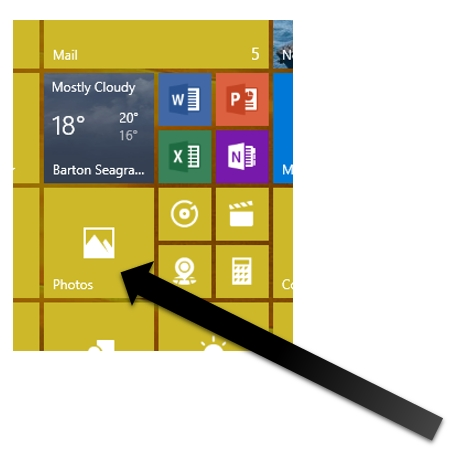
Auto cross-posted from my WordPress Blog: Today, we concluded our lesson on Photos. Specifically, we looked at how Phones, Cameras, and Memory Sticks can be used to transfer photos to a Windows 10 Laptop. Steve PalmerI got into blogging quite late in life, not publishing my first post until 2004 – well into my 40s! …
Read More
Tablet Coaching: eMail (Part 1)
Auto cross-posted from my WordPress Blog: Today, we began to look at how to set-up an eMail account on a Tablet and then covered some of the ‘essential functions’. Part 2 next week. Steve PalmerI got into blogging quite late in life, not publishing my first post until 2004 – well into my 40s! My …
Read More
Laptop Coaching: New Class of 2017
Auto cross-posted from my WordPress Blog: Today, the new Tuesday Class started their lessons. Over the next 30-or-so Tuesdays, we’ll be providing guidance and hands-on practice on the core functionality of a modern Windows 10 Laptop. Steve PalmerI got into blogging quite late in life, not publishing my first post until 2004 – well into …
Read More
Laptop Coaching: All about ‘Photos’ (Part 1)
Auto cross-posted from my WordPress Blog: Today, in a two-part lesson, we looked at the Windows 10 ‘Photos’ App. Steve PalmerI got into blogging quite late in life, not publishing my first post until 2004 – well into my 40s! My lifelong love of technology and communication (in all its forms), together with a fondness …
Read More
Tablet Coaching: Core Apps – Google Chrome

Auto cross-posted from my WordPress Blog: Today, we discussed the various Browsers that are available for your Tablet whilst concentrating on the features of ‘Google Chrome’. Steve PalmerI got into blogging quite late in life, not publishing my first post until 2004 – well into my 40s! My lifelong love of technology and communication (in …
Read More
Tablet Coaching: Core Apps – ‘Camera’

Auto cross-posted from my WordPress Blog: Today we looked at another Core App installed on all Tablets – The Camera. Steve PalmerI got into blogging quite late in life, not publishing my first post until 2004 – well into my 40s! My lifelong love of technology and communication (in all its forms), together with a …
Read More
Laptop Coaching: eMail (Part 3)
Auto cross-posted from my WordPress Blog: Today, we concluded our look at using the eMail App on a Windows 10 Laptop. Steve PalmerI got into blogging quite late in life, not publishing my first post until 2004 – well into my 40s! My lifelong love of technology and communication (in all its forms), together with …
Read More
Tablet Coaching: Core Apps – ‘Calendar’ and ‘Contacts’
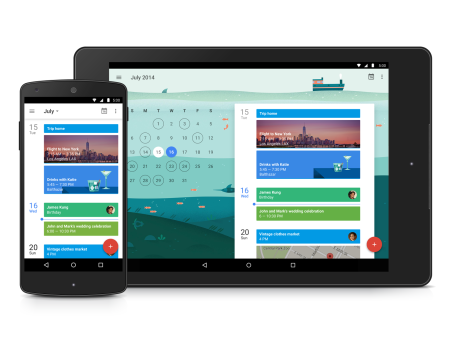
Auto cross-posted from my WordPress Blog: Today, we revisited the area of ‘Core Apps’ and discussed the features & benefits of the ‘Calendar’ and ‘Contacts’ App. Steve PalmerI got into blogging quite late in life, not publishing my first post until 2004 – well into my 40s! My lifelong love of technology and communication (in …
Read More
Laptop Coaching: eMail (Part 2)
Auto cross-posted from my WordPress Blog: Today, we continued to discuss eMail using the ‘Mail’ App – Core functions today… more advanced functions next week! Steve PalmerI got into blogging quite late in life, not publishing my first post until 2004 – well into my 40s! My lifelong love of technology and communication (in all …
Read More
Tablet Coaching: The Play Store (Introduction)

Auto cross-posted from my WordPress Blog: Today, we spent time outlining the layout and content of Google ‘Play Store’. Steve PalmerI got into blogging quite late in life, not publishing my first post until 2004 – well into my 40s! My lifelong love of technology and communication (in all its forms), together with a fondness …
Read More
Laptop Coaching: Certification Day!

Auto cross-posted from my WordPress Blog: Today was the final lesson for this group. After 31 lessons we said goodbye to Lin, Tom, Tim, Helen and Neil and presented them with their completion certificates. We also spent time discussing what’s coming up with the next for Windows 10 – The ‘Fall Creator’s Update’, due in …
Read More
Tablet Coaching: Getting Around & Core Apps

Auto cross-posted from my WordPress Blog: Today, we confirmed the Lesson Plans and looked at a typical layout of a Tablet screen, as well as an introduction to Android’s ‘Core Apps’. Steve PalmerI got into blogging quite late in life, not publishing my first post until 2004 – well into my 40s! My lifelong love …
Read More
Laptop Coaching: Recap – Google Maps/Data on DVDs
Auto cross-posted from my WordPress Blog: In this penultimate lesson (for this Class), we re-looked at Google Maps and discussed how to manage data to/from a portable DVD drive. Steve PalmerI got into blogging quite late in life, not publishing my first post until 2004 – well into my 40s! My lifelong love of technology …
Read More
Laptop Coaching: OoBE!
Auto cross-posted from my WordPress Blog: Two of the pupils recently bought a new Laptop, so today, we looked at the OoBE (Out of Box Experience) when setting up a Laptop for the very first time. Steve PalmerI got into blogging quite late in life, not publishing my first post until 2004 – well …
Read More
Laptop Coaching: Word Processing (Part 2)
Auto cross-posted from my WordPress Blog: Today, we continued our Lesson, looking at the main capabilities of most word processors Steve PalmerI got into blogging quite late in life, not publishing my first post until 2004 – well into my 40s! My lifelong love of technology and communication (in all its forms), together with …
Read More
Laptop Coaching: Windows 10 Core Apps

Auto cross-posted from my WordPress Blog: Today we began to look at the Core Apps installed on ALL new Windows 10 Laptops. We began with the ‘Calendar’ app and then the ‘People’ app. Steve PalmerI got into blogging quite late in life, not publishing my first post until 2004 – well into my 40s! My …
Read More